
Why Proactive Device Lifecycle Planning Reduces Costs and Security Risk for SMBs
Hardware rarely fails all at once — it fails gradually, quietly, and expensively.
For many SMBs, laptops, desktops, and mobile devices are replaced only when:
- Performance becomes unbearable
- A device fails completely
- A security incident occurs
This reactive approach increases downtime, costs, and cyber risk.
In this article, we’ll explain why proactive device lifecycle planning is critical for SMBs, how it reduces total cost of ownership, and why it plays a direct role in cybersecurity and compliance.
What Is Device Lifecycle Planning?
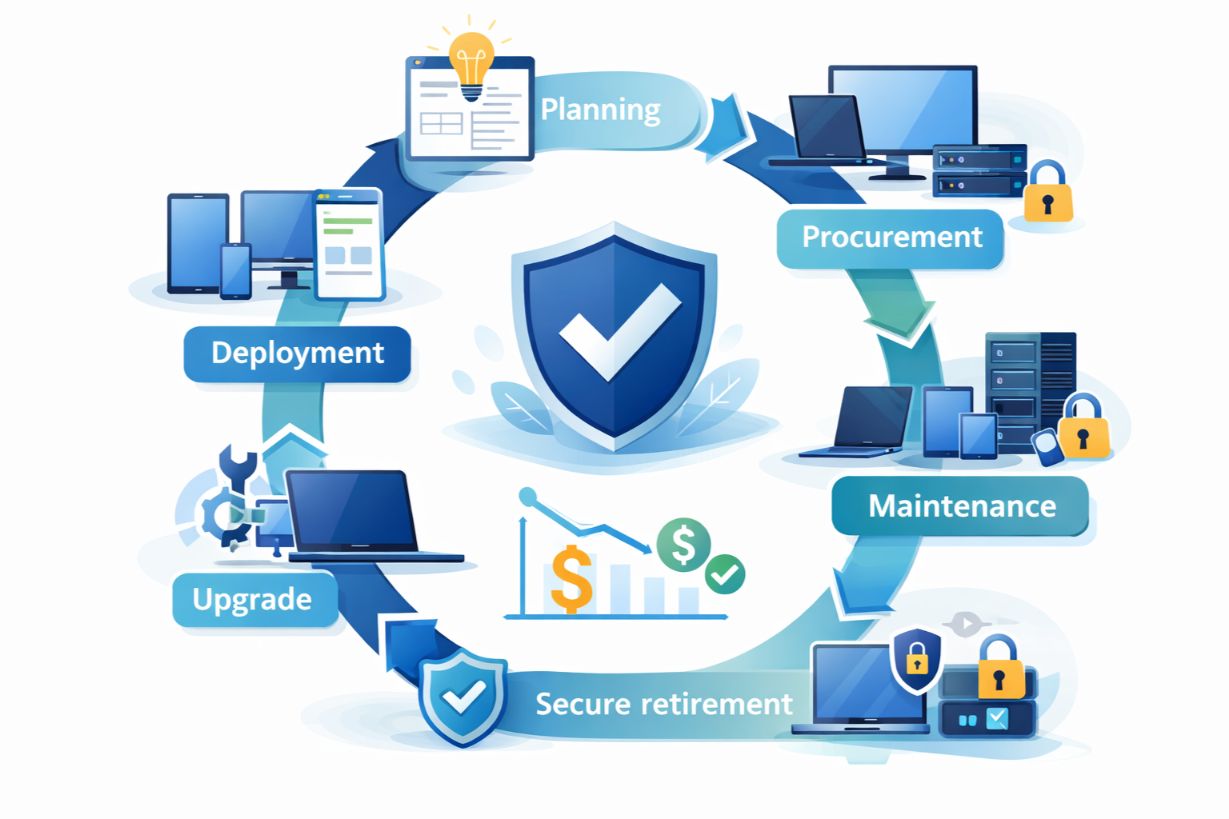
Device lifecycle planning is the structured management of endpoints from:
- Standardized purchasing
- Secure deployment
- Ongoing maintenance
- Planned refresh
- Secure retirement
It replaces guesswork with strategy.
Why Reactive Device Management Costs More
Waiting until devices fail creates:
- Emergency purchases
- Lost productivity
- Premium pricing
- Security exposure
Reactive replacement is always more expensive than planned refresh.
The Hidden Costs of Aging Devices
1. Productivity Loss
Older devices:
- Run slower
- Crash more often
- Struggle with modern software
Even small delays add up across teams.
2. Increased Support Burden
Aging hardware generates:
- More help desk tickets
- Longer troubleshooting time
IT teams spend time fixing instead of improving.
3. Security Vulnerabilities
Older devices often:
- Run unsupported operating systems
- Miss critical patches
- Lack modern security features
These devices are prime attack targets.
4. Compliance & Insurance Risk
Many regulations and insurers require:
- Supported software
- Secure configurations
- Asset tracking
Outdated devices create compliance gaps.
The Financial Benefits of Lifecycle Planning
Predictable IT Spending
Planned refresh cycles:
- Smooth capital expenses
- Improve budgeting
- Prevent surprise costs
Lower Total Cost of Ownership (TCO)
Newer devices:
- Require less support
- Last longer when standardized
- Improve employee efficiency
TCO drops even when purchase costs rise slightly.
Standardization: The Backbone of Lifecycle Strategy
Standardizing devices:
- Simplifies support
- Improves security consistency
- Reduces onboarding time
Fewer models = fewer problems.
Endpoint Security Starts with the Device
Lifecycle planning enables:
- Disk encryption by default
- Secure boot
- Endpoint detection and response (EDR)
- Patch consistency
Security is strongest when built in from day one.
Refresh Cycles: When Should SMBs Replace Devices?
Best-practice guidelines:
- Laptops: 3–4 years
- Desktops: 4–5 years
- Mobile devices: 2–3 years
Planned replacement avoids performance and security cliffs.
Remote Work Makes Lifecycle Planning Essential
Remote and hybrid work increase:
- Device sprawl
- Loss risk
- Inconsistent security
Lifecycle planning ensures:
- Devices are managed remotely
- Policies are enforced
- Data is protected everywhere
Asset Tracking & Visibility
Lifecycle planning depends on visibility.
Asset management tracks:
- Device age
- Warranty status
- Assigned users
- Security posture
You can’t manage what you can’t see.
Secure Device Retirement & Disposal
End-of-life devices are high risk.
Proper disposal includes:
- Certified data wiping
- Secure destruction
- Documentation for audits
Improper disposal leads to data breaches.
How Managed IT Services Simplify Lifecycle Planning
Managed IT providers help SMBs:
- Define refresh standards
- Procure standardized devices
- Deploy securely
- Manage updates
- Retire devices properly
This removes operational burden and reduces risk.
Real-World Example: Lifecycle Planning in Action
A 55-employee firm:
- Uses mixed device ages
- Experiences frequent slowdowns
After implementing lifecycle planning:
- Devices are refreshed on schedule
- Support tickets drop
- Security posture improves
- IT costs stabilize
Planning replaces firefighting.
Lifecycle Planning and Sustainability
Planned lifecycle management:
- Reduces e-waste
- Supports responsible recycling
- Aligns with ESG initiatives
Good planning benefits business and environment.
Common SMB Myths About Device Lifecycle Planning
❌ “We’ll Replace Devices When They Break”
Breakdowns are the most expensive trigger.
❌ “Older Devices Still Work”
Functioning doesn’t mean secure or efficient.
❌ “Lifecycle Planning Is Too Rigid”
Plans adapt — chaos doesn’t.
How SMBs Can Get Started
Step 1: Inventory All Devices
Step 2: Identify Age and Risk
Step 3: Standardize Future Purchases
Step 4: Define Refresh Cycles
Step 5: Implement Endpoint Management
Start small — consistency delivers results.
Devices Are Strategic Assets
Every application, workflow, and security control depends on endpoints.
For SMBs, proactive device lifecycle planning:
- Reduces costs
- Improves security
- Enhances productivity
- Supports compliance
When devices are planned — everything else works better.
Unsure which devices are putting your business at risk or driving unnecessary costs?
Schedule a device lifecycle assessment to identify savings and security gaps.