
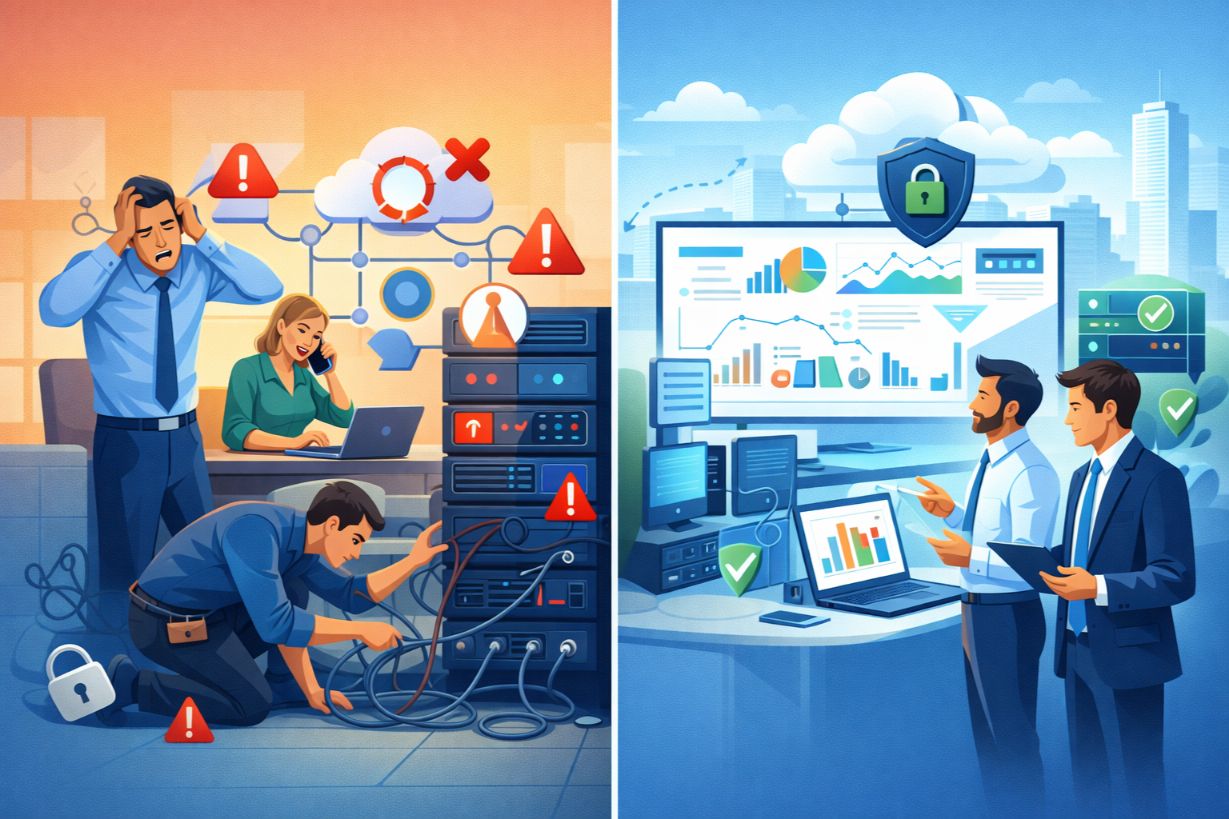
Why Managed IT Services Are Replacing Traditional IT Support for SMBs
For years, small businesses relied on one of two IT models:
- Break-fix support (call IT when something breaks), or
- A small internal IT team constantly reacting to problems
Both approaches are becoming unsustainable.
As technology grows more complex and cyber threats increase, SMBs are realizing that reactive IT support costs more, causes more downtime, and delivers less value.
This is why managed IT services are rapidly replacing traditional IT support models for small and mid-sized businesses.
What Are Managed IT Services?
Managed IT services involve outsourcing some or all IT responsibilities to a managed service provider (MSP) for a predictable monthly fee.
Instead of reacting to issues, MSPs:
- Monitor systems continuously
- Prevent problems before they occur
- Manage security, backups, and updates
- Provide help desk support
- Align IT with business goals
It’s a proactive, strategic approach to IT management.
Traditional IT Support vs. Managed IT Services
Break-Fix IT Support
- Pay per incident
- No proactive monitoring
- Downtime-driven
- Unpredictable costs
Managed IT Services
- Flat monthly pricing
- Continuous monitoring
- Preventative maintenance
- Strategic planning
The difference is night and day.
Why the Break-Fix Model Fails SMBs
Break-fix support seems affordable — until it isn’t.
Problems with Break-Fix IT:
- Incentivizes repairs, not prevention
- Encourages deferred maintenance
- Leads to frequent outages
- Creates budget uncertainty
SMBs often spend more money fixing problems than they would preventing them.
The Core Benefits of Managed IT Services for SMBs
1. Reduced Downtime & Fewer Emergencies
MSPs monitor systems 24/7 to:
- Detect issues early
- Resolve problems before failure
- Apply updates and patches
Less downtime means higher productivity and happier customers.
2. Predictable IT Costs
Managed IT services convert IT from a variable expense into a predictable monthly investment.
This improves:
- Budgeting
- Cash flow planning
- Financial forecasting
No surprise emergency invoices.
3. Enterprise-Level Security
Most SMBs can’t manage cybersecurity alone.
MSPs provide:
- Endpoint protection
- Email security
- Network monitoring
- Security updates
- Incident response
This delivers enterprise-grade protection at an SMB scale.
4. Access to a Full IT Team
Instead of relying on one internal technician, SMBs gain access to:
- Help desk specialists
- Network engineers
- Security experts
- Cloud architects
Depth of expertise without full-time salaries.
5. Strategic IT Planning & Guidance
The best MSPs don’t just “keep the lights on.”
They provide:
- IT roadmaps
- Technology planning
- Lifecycle management
- Growth support
IT becomes a business enabler — not a bottleneck.
Common Managed IT Support Models
Fully Managed IT
- MSP manages all IT systems
- Ideal for SMBs without internal IT
Co-Managed IT
- MSP supports internal IT staff
- Ideal for growing businesses
Managed Security Services
- Focused on cybersecurity
- Often layered onto existing IT
The right model depends on business size, complexity, and goals.
What Services Are Typically Included?
Most managed IT services include:
- 24/7 system monitoring
- Help desk support
- Patch management
- Backup and disaster recovery
- Cybersecurity management
- Vendor management
Advanced providers also offer vCIO services and strategic planning.
How Managed IT Services Support Business Growth
As SMBs grow, IT complexity increases.
Managed services:
- Scale with the business
- Support new locations
- Enable remote work
- Integrate new applications
This allows leadership to focus on growth — not IT problems.
Managed IT Services and Compliance
Many industries face compliance requirements.
MSPs help SMBs:
- Implement required controls
- Maintain documentation
- Prepare for audits
- Reduce regulatory risk
Compliance becomes manageable — not overwhelming.
The Role of Automation and AI in Modern MSPs
Leading MSPs use AI and automation to:
- Detect anomalies faster
- Resolve issues automatically
- Improve response times
- Reduce human error
This delivers better outcomes at lower cost.
Real-World Example: From Chaos to Control
A 50-employee company relies on break-fix IT:
- Frequent outages
- Rising emergency costs
- No security strategy
After moving to managed IT services:
- Downtime drops
- Security improves
- Costs stabilize
- Leadership gains visibility
Same business — radically better IT experience.
How to Choose the Right Managed IT Provider
Look for MSPs that offer:
- Proactive monitoring
- Strong cybersecurity focus
- Clear SLAs
- Strategic planning services
- Transparent pricing
Avoid providers who only react to problems.
Common Myths About Managed IT Services
❌ “We’ll Lose Control”
You gain visibility and accountability.
❌ “It’s Too Expensive”
Downtime and breaches cost more.
❌ “We’re Too Small”
Managed IT is built for SMBs.
When Is the Right Time to Switch?
Signs you need managed IT services:
- Frequent IT issues
- Security concerns
- Unpredictable IT costs
- Growing complexity
- Limited internal expertise
If IT feels like a constant struggle — it’s time.
Managed IT Is the New Standard
Technology is now mission-critical for SMB success.
Managed IT services provide:
- Stability
- Security
- Scalability
- Strategic alignment
For modern SMBs, reactive IT is no longer viable.
Tired of IT issues disrupting your business?
Talk with a managed IT expert to explore a proactive support model.